
If you’re a video creator, editor, or filmmaker, your laptop is more than just a device — it’s your studio. Choosing the right laptop for video editing means finding the perfect balance between power, performance, display quality, and portability.
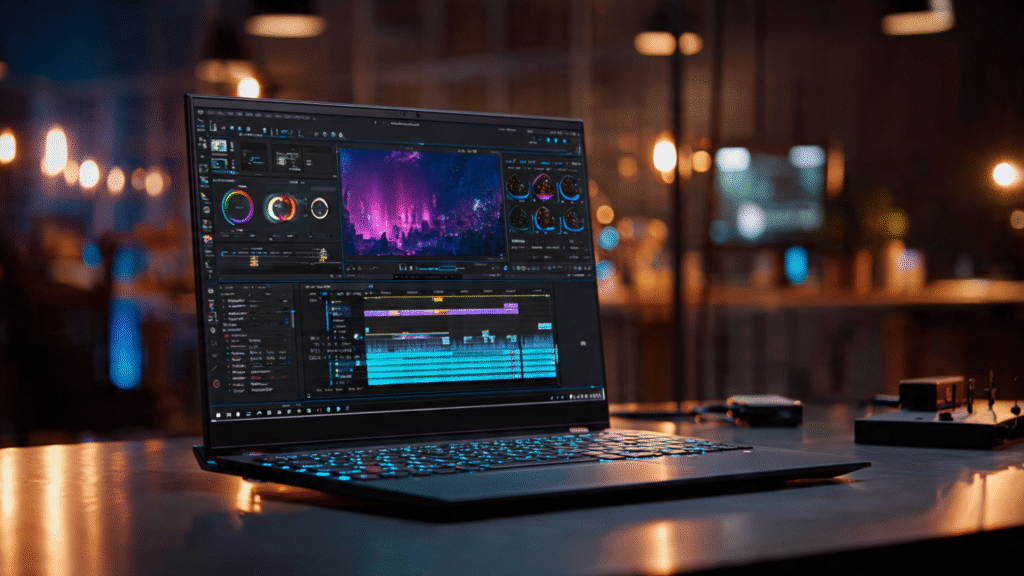
In this guide, we’ll cover the most essential features every video editor should look for in a laptop, helping you choose a machine that can handle everything from short-form clips to 4K and 8K productions.
1. Processor (CPU) — The Editing Powerhouse
The CPU (Central Processing Unit) handles rendering, playback, and export speeds. The faster the CPU, the smoother your editing workflow.
✅ Recommended Specs (2025):
- Intel Core i7 / i9 (13th Gen or newer)
- Apple M3 or M3 Pro
- AMD Ryzen 7 / Ryzen 9 (7000 Series or newer)
Pro Tip: If you edit in software like Adobe Premiere Pro, DaVinci Resolve, or Final Cut Pro, a multi-core CPU with high clock speed is crucial.
2. Graphics Card (GPU) — Smooth Rendering & Playback
The GPU (Graphics Processing Unit) is key for real-time rendering, color grading, and effects.
✅ Recommended GPUs:
- NVIDIA RTX 4060 / 4070 or higher
- Apple M3 Pro or M3 Max (integrated GPU)
- AMD Radeon RX 7000 Series
Why it matters: A powerful GPU ensures smoother previews, faster exports, and better performance with 4K or 8K footage.
3. RAM — Multitasking and Project Handling
Video editing software consumes a lot of memory, especially with high-resolution footage and multiple layers.
✅ Recommended RAM:
- Minimum: 16 GB
- Optimal: 32 GB or more for 4K+ projects
Tip: Choose laptops with upgradeable RAM to future-proof your setup.
4. Storage — Speed and Capacity Matter
High-quality video files can quickly fill up your drive. You’ll need fast, large storage for editing and caching.
✅ Recommended Storage Setup:
- Primary: 1TB SSD (NVMe preferred) for software & active projects
- External: SSD or NVMe drive for backups
Why SSD? Solid State Drives drastically reduce load and export times compared to HDDs.
5. Display — See Every Detail Clearly
Your screen determines how accurately you can color grade and edit visuals.
✅ Ideal Display Specs:
- Resolution: 4K UHD (3840×2160) preferred
- Panel Type: IPS or OLED
- Color Accuracy: 100% sRGB / DCI-P3 coverage
- Brightness: 400+ nits
Tip: For professional color work, look for laptops that support HDR and factory color calibration.
6. Battery Life — Stay Productive Anywhere
Editing on the go? You’ll need reliable battery performance.
✅ Ideal Choice:
- Apple MacBook Pro M3 series — best for battery + power combo
- Windows alternatives: ASUS ZenBook Pro, Dell XPS, or Lenovo Slim Pro
Tip: Carry a fast charger or power bank if you work in the field often.
7. Ports & Connectivity — Don’t Miss the Essentials
A video editor’s setup often includes external drives, SD cards, and monitors.
✅ Must-Have Ports:
- Thunderbolt 4 / USB-C
- SD card reader
- HDMI 2.1
- USB-A for peripherals
- Headphone/mic combo jack
Bonus: If you use multiple displays, ensure your laptop supports dual 4K or single 8K output.
8. Cooling System — Keep It Cool During Long Edits
Rendering 4K or 8K videos generates heat. A poor cooling system can throttle performance.
✅ Look for:
- Dual-fan or vapor-chamber cooling
- Metal chassis for better heat dissipation
- Performance mode options in settings
9. Operating System — macOS vs Windows
Both platforms offer excellent options, but your workflow matters:
- macOS (MacBook Pro M3): Seamless performance, Final Cut Pro optimized.
- Windows (ASUS, Dell, Lenovo): Better customization and hardware choices.
Pro Tip: Choose based on your preferred software and ecosystem.
10. Extra Features for Creators
- High-quality webcam (1080p+) for client calls or content creation.
- Backlit keyboard for late-night editing.
- Large trackpad for smoother timeline navigation.
- Lightweight build for travel-friendly editing.
Recommended Laptops for Video Editing in 2025
| Laptop | Key Features | Best For |
|---|---|---|
| MacBook Pro M3 Pro (16″) | M3 Pro chip, Liquid Retina XDR, all-day battery | Professional editors |
| ASUS ZenBook Pro 16X | RTX 4070, OLED 4K, premium cooling | 4K editing & effects |
| Dell XPS 17 (2025) | Intel i9, RTX 4060, 4K display | Windows editing workflows |
| Lenovo Legion Slim 7 | AMD Ryzen 9, RTX 4070, 165Hz display | Heavy rendering tasks |
| HP Spectre x360 16″ | Touch display, Intel Core Ultra, 2-in-1 design | Casual editors & travel |
Conclusion: What Makes a Laptop Great for Video Editing?
A great laptop for video editing combines:
✅ Powerful CPU and GPU
✅ 32GB+ RAM
✅ Fast SSD storage
✅ Color-accurate display
✅ Strong cooling system
Invest in the right features today, and your laptop will handle everything from YouTube editing to cinematic projects for years. If you are interested also read Best Lens for Portrait Photography.
Disclaimer: The information in this guide is for educational purposes. Always check latest specifications and compatibility before purchasing, as technology updates rapidly.